How I Solved My Biggest Game Development Headaches (and Why I Built Drafft)

If you’ve ever spent hours battling clunky text editors, lost time waiting for game engine recompiles, or struggled to collaborate on scripts, you’re not alone. As a game developer, I hit a breaking point managing scripts and dialogue trees—until I built Drafft. Here’s why.
The Problems That Drove Me Crazy
1. Trapped in the Engine: Slow Compilation and Inflexible Scripts
I used to embed scripts and dialogue directly in my game engine (Unity, in my case). It seemed convenient at first, but soon became a nightmare:
- Slow iteration: Every script change required a full recompile. Waiting 2-3 minutes just to test a dialogue tweak? No thanks.
- Brittle workflows: Scripts compiled into the game binary. Updating content meant rebuilding the entire project.
- Zero separation: Code and content were tangled together. Want to reuse a script? Good luck extracting it.
2. Text Editors That Felt Like Stone Age Tools
Game engine text editors are… not great. Mine lacked:
- Syntax highlighting for JSON/scripts
- Search/replace across files
- Autocomplete or error checking
Editing JSON in Unity’s textbox felt like coding with oven mitts on.
The “Aha” Moment (and the New Problem)
Taking Content Out of the Engine
I moved scripts and data into external files. Benefits:
- Test changes without recompiling the game
- Reuse content across projects
- Version control scripts/dialogue separately
- Plain text files!
But then: Managing hundreds of text/JSON files became its own nightmare:
// Example of the JSON chaos:
{
  "dialogue": {
    "scene1": {
      "npc1_line1": "Hello, adventurer!",
      "npc1_line2": "Did you know JSON brackets love to mismatch?"
    }
  }
}
- Tedious formatting: Missing a comma? Enjoy debugging 500 lines of JSON.
- No hierarchy: A folder of 300 JSON files isn’t a “workflow”—it’s a ticking bomb.
- Zero collaboration: Git merges for dialogue trees? Shudder.
Why I Built Drafft
The Final Straw: Expensive Tools for Indie Teams
When I realized I needed a better solution, I looked at tools like Articy:Draft. It had some great features, but:
- Prohibitively expensive: As an indie team of two, we couldn’t justify the cost.
- Overkill for our needs: We didn’t need all the bells and whistles—just a simple, efficient way to manage scripts and data.
- Subscription required: Monthly fees added up quickly.
- Cloud dependency: Required constant internet access and data storage on their servers. o That’s when I decided to build Drafft: a tool designed by indie devs, for indie devs. Affordable, lightweight, and laser-focused on solving the problems we actually faced.
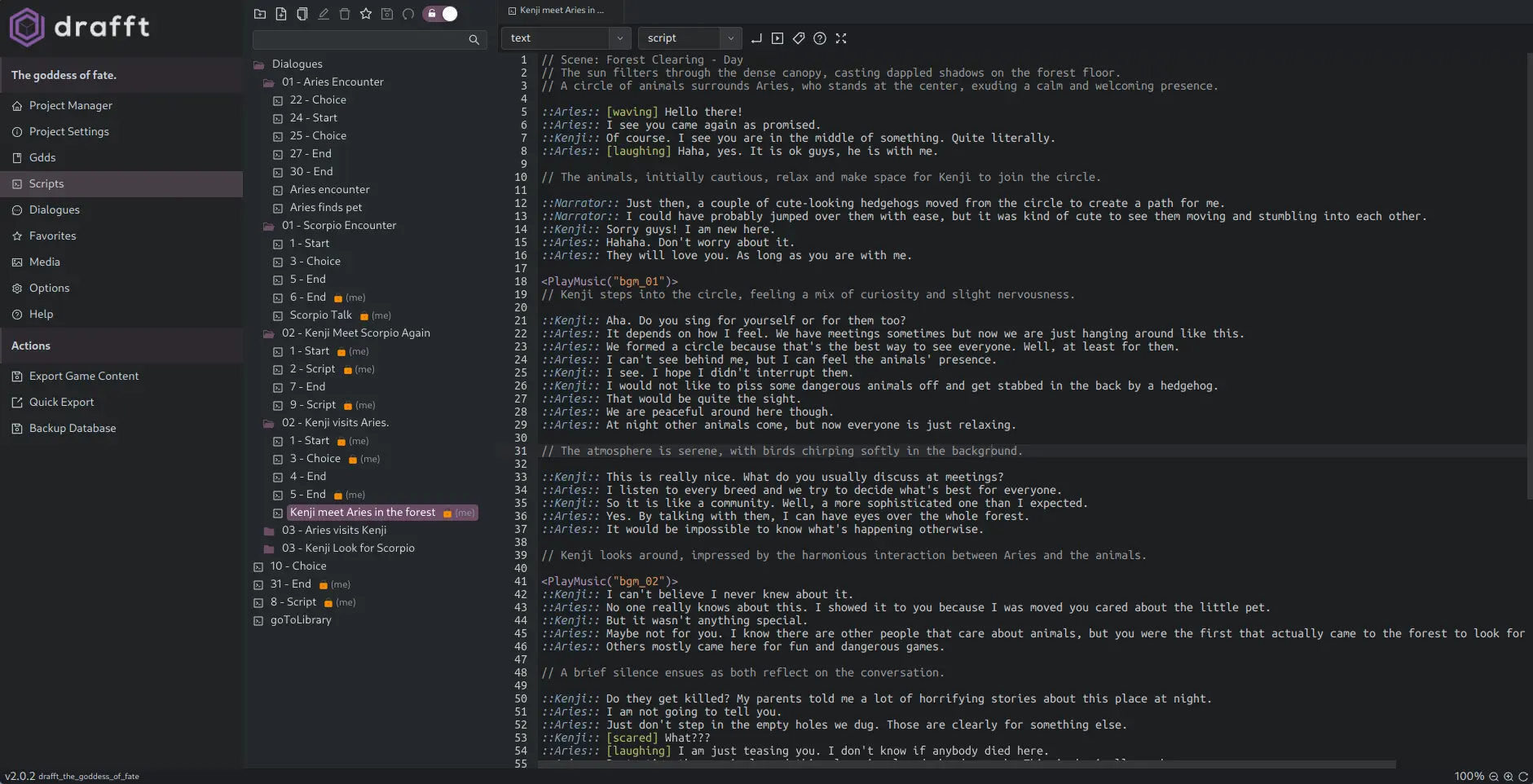
1. Hierarchy Meets Database Power
- Game Design
  - Scripts
    - Chapter1
    - Chapter2
  - Dialogue Trees
    - NPCs
      - Merchant
  - Actors
    - Actor Nam
Organize scripts, dialogue, and data in a unified structure. Search, sort, and edit like a database—without losing the familiarity of folders.
2.Commom Code Editor Goodies for Game Devs
- Syntax highlighting: JSON, scripts, and custom formats.
- Code folding: Collapse and expand sections for better readability.
- Undo/Redo: Never lose your work with unlimited undo/redo.
- Keyboard shortcuts: Speed up your workflow with customizable shortcuts.
- Find and replace: Quickly make changes across your entire project.
3. JSON Export Without the Headaches
- One-click export to game-ready JSON.
- Edit scripts while the game runs (no more recompiles!).
4. Collaboration That Just Works
- Real-time syncing.
- Work offline and merge changes later.
5. Your Data, Your Rules
- No cloud lock-in: Data lives on your machine.
- No subscriptions: Pay once, own it forever.
How Drafft Saved My Sanity (and Can Save Yours)
Since switching to Drafft:
- Cut iteration time by 70% by editing scripts while the game runs.
- Eliminated JSON errors with built-in validation.
- Collaborated seamlessly with a remote writer on dialogue trees.
Still fighting your tools? Drafft’s free to download. Your future self will thank you.
👉 Get Drafft here.