Items Editor
Overview
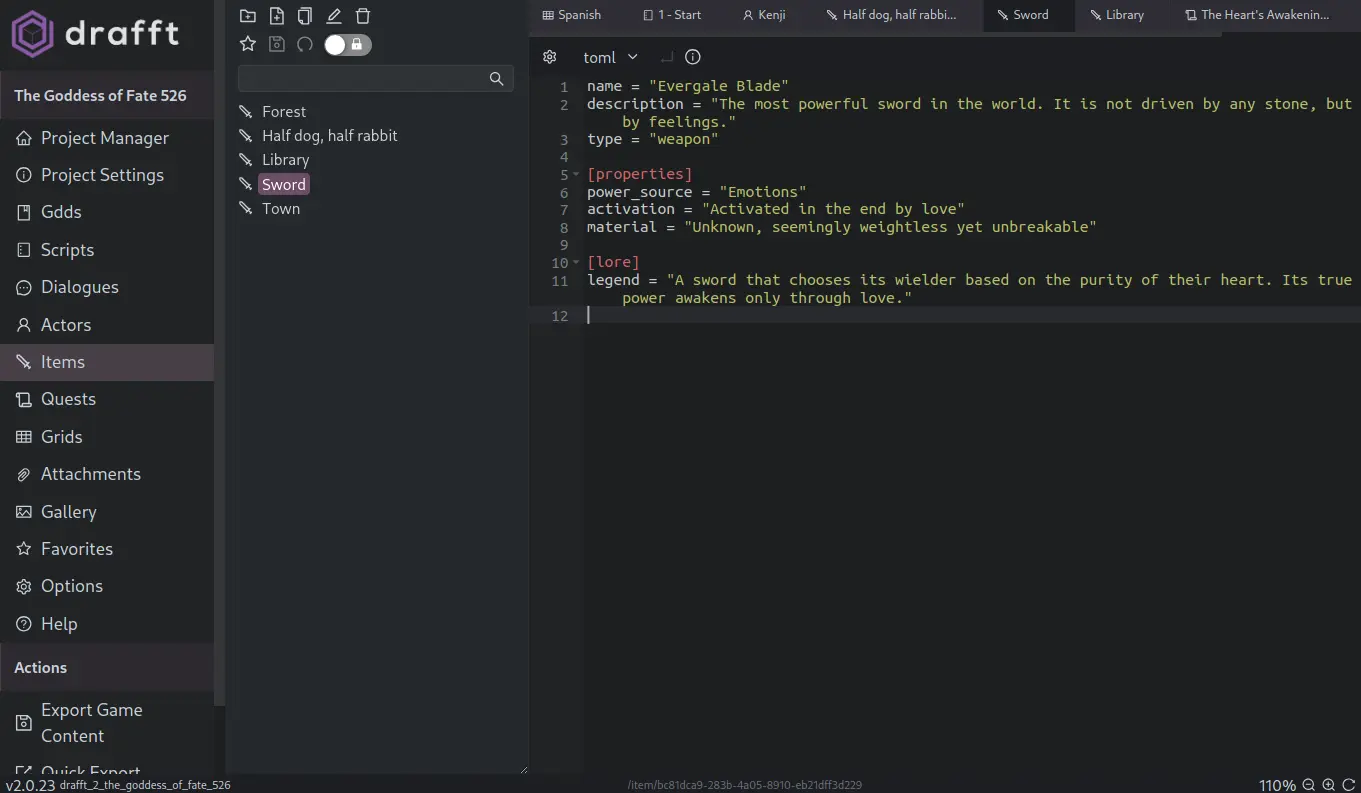
The Items editor in Drafft allows users to input and manage unstructured data dynamically. It complements the Grid Editor, which is used for structured, spreadsheet-style data. The Items Editor provides a flexible way to define game data in a variety of formats while ensuring seamless export to JSON.
Features
- Supports multiple formats: Write in plain text, JSON, HJSON, TOML, or YAML.
- Dynamic schema creation: No predefined structure—users can define their own formats.
- Automatic parsing: If the content is compliant with the selected format, it will be parsed and converted into JSON upon export.
- Complementary to the Grid Editor: Provides an alternative way to manage game data that doesn't fit into a rigid 2D structure.
Usage Guide
Selecting a Format
- Open the Items Editor in Drafft.
- Choose a format from the available options (Text, JSON, HJSON, TOML, YAML).
- Start entering data in the selected format.
Writing Data
- Text Mode: Freeform text input without specific formatting requirements. It will be exported as a string.
- JSON Mode: Structure data using JSON syntax.
- HJSON Mode: A more human-readable JSON format.
- TOML Mode: Tom's Obvious, Minimal Language. TOML is ideal for configuration-style data.
- YAML Mode: YAML Ain't Markup Language™. Readable, indentation-based structured data.
Exporting Data
When exporting game content, Drafft automatically attempts to parse the input based on the selected format. If the content follows the correct syntax, Drafft will validate it and convert it into structured JSON. This ensures compatibility with your game development workflow, making it easy to integrate the data into your project.
Example Inputs & Outputs
JSON Input
{
  "item": "Potion",
  "effect": "Heals 50 HP",
  "cost": 10
}
Exported JSON (No Change):
{
  "item": "Potion",
  "effect": "Heals 50 HP",
  "cost": 10
}
YAML Input
item: Potion
effect: Heals 50 HP
cost: 10
Exported JSON:
{
  "item": "Potion",
  "effect": "Heals 50 HP",
  "cost": 10
}
When to Use the Items Editor
- When you need flexible data input without rigid row/column constraints.
- When working with non-tabular game data.
- When you prefer writing data in a format like YAML, TOML, or JSON rather than filling a grid.
Related Features
- Grid Editor: For structured, spreadsheet-like data management.
- Exports & Integrations: Use exported JSON data in your game engine or scripting system.
See Drafft Output Schema for the JSON export schema.