Kanban Boards
What Are Kanban Boards?
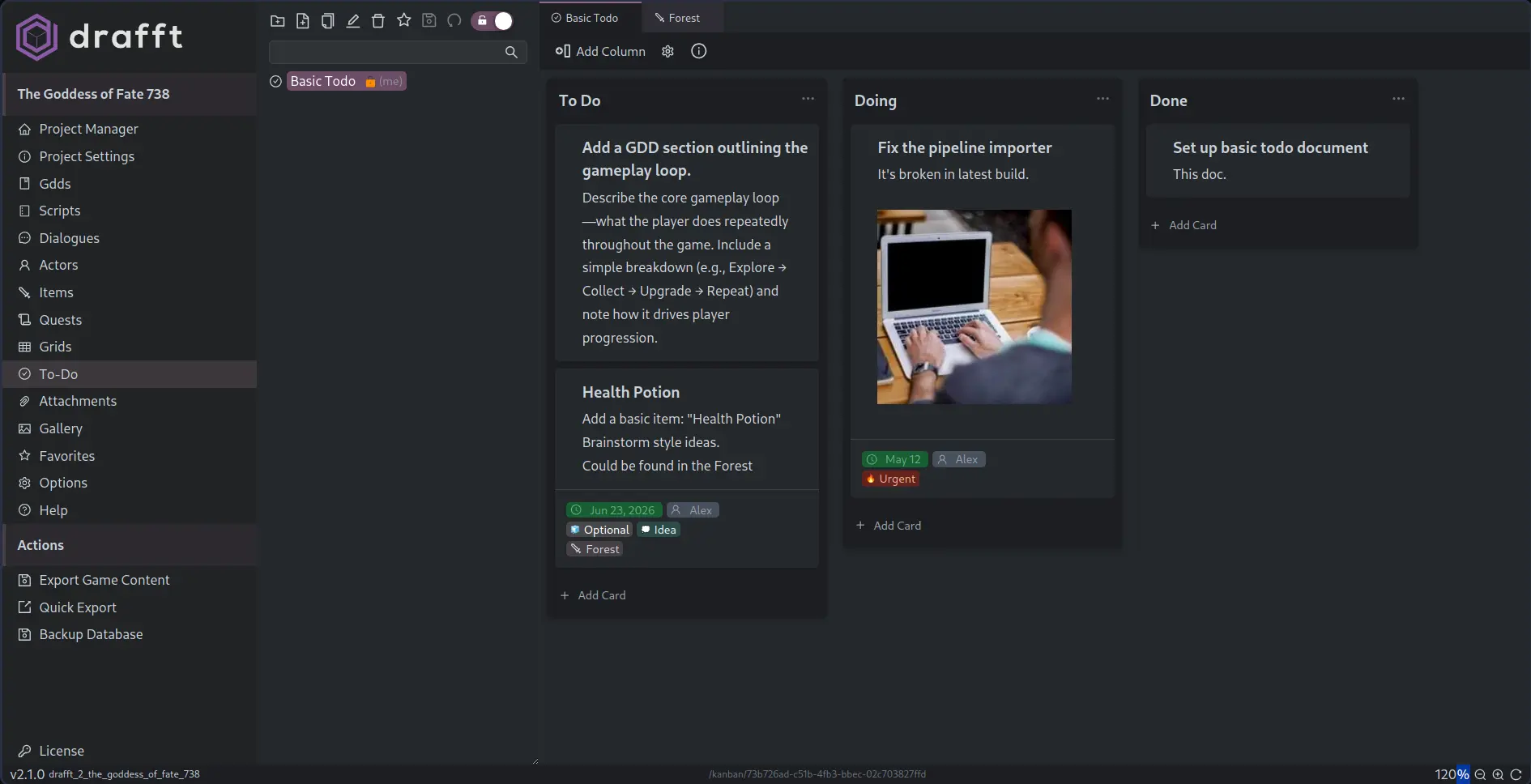
Kanban boards are visual task trackers that let you manage work using draggable cards in columns. Drafft's built-in Kanban editor helps you break down your game into manageable steps.
Key Features
- Columns: Create as many columns as you like (
Ideas,Todo,Doing,Done, etc.) - Cards: Each card supports a title and description (with Markdown), plus links to other Drafft content.
- Drag-and-Drop: Reorder or move cards freely to reflect progress.
- Project-Specific: Each board belongs to a single project and is saved automatically.
Checklist Items
Kanban cards can contain checklist items for sub-tasks.
- Add multiple checklist items per card
- Toggle completion quickly from the board
- Optionally show progress in card titles
This is useful when one card represents a larger feature with several smaller deliverables.
Template Pack Import/Export
Project settings support Kanban template pack import/export.
- Export selected templates to a reusable JSON pack
- Import template packs into another project
- Duplicate template identifiers are handled safely during merge
This makes it easier to share board structures across projects or teams.
Common Use Cases
- Tracking quests or levels
- Managing writing/editing status of scenes
- Bug/feature checklists
- Planning sprints or milestones
Export Schema
See Drafft Output Schema for the kanban JSON export schema.